FanDuel · Internal Competition Winner
FanView
Betting Made Easy
Overview
Twice a year FanDuel holds an internal hackathon where employees can pitch their ideas to improve the FanDuel app to leadership in a Shark Tank-like competition.
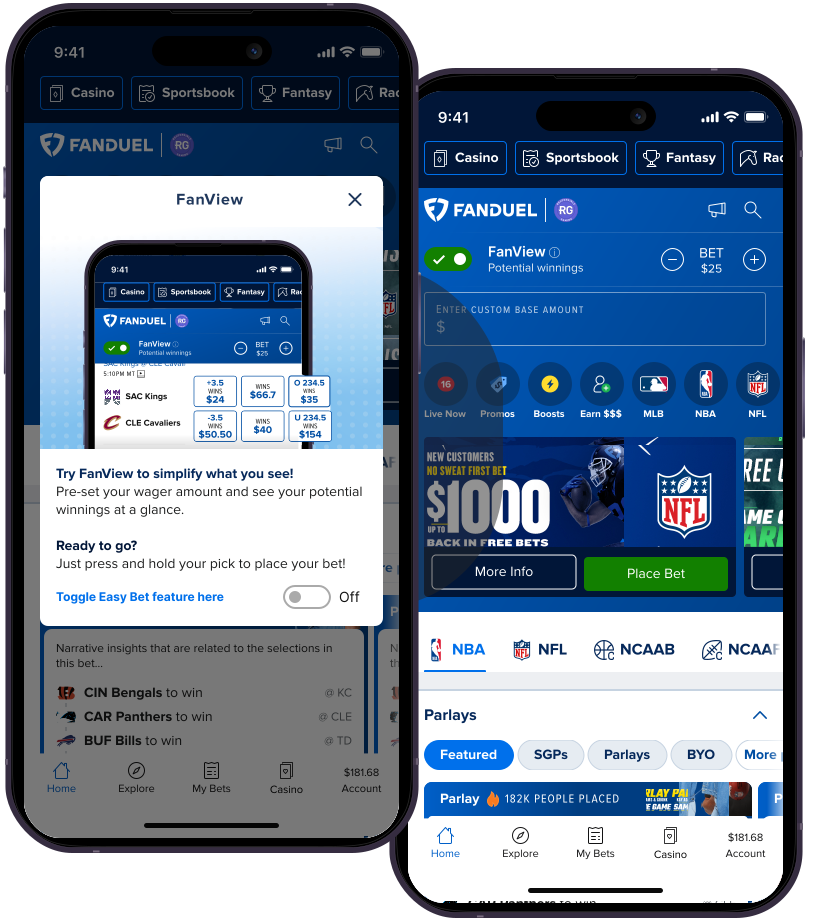
This is my team's entry for Q4 2024 — voted the people's and judge's favorite — FanView. Our “easy mode” for both new and existing users.
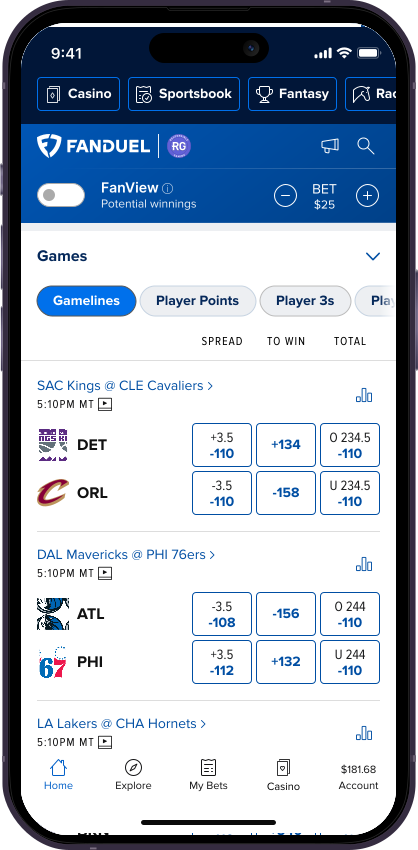
Through FanView, we showed how we could simplify bet placement to improve onboarding and allow fans to immediately begin betting on their favorite teams. Users can toggle FanView right from the Home Screen — keeping them engaged from the moment they sign on.
We won because we showed how, with very little technical overhead, we could deliver a new easy-to-use feature with a large impact that simplifies the betting process and puts the fans in control.
Role
- Lead UX Designer
Tools
- Figma
Team
- 1 UX/UI Designer
- 3 Developers
- 1 Product Owner
Timeline
- November 2024
- 2 weeks
What is FanView?
We identified an opportunity to grab sports fans who may shy away from betting because they are overwhelmed by the pluses and minuses of American Odds.
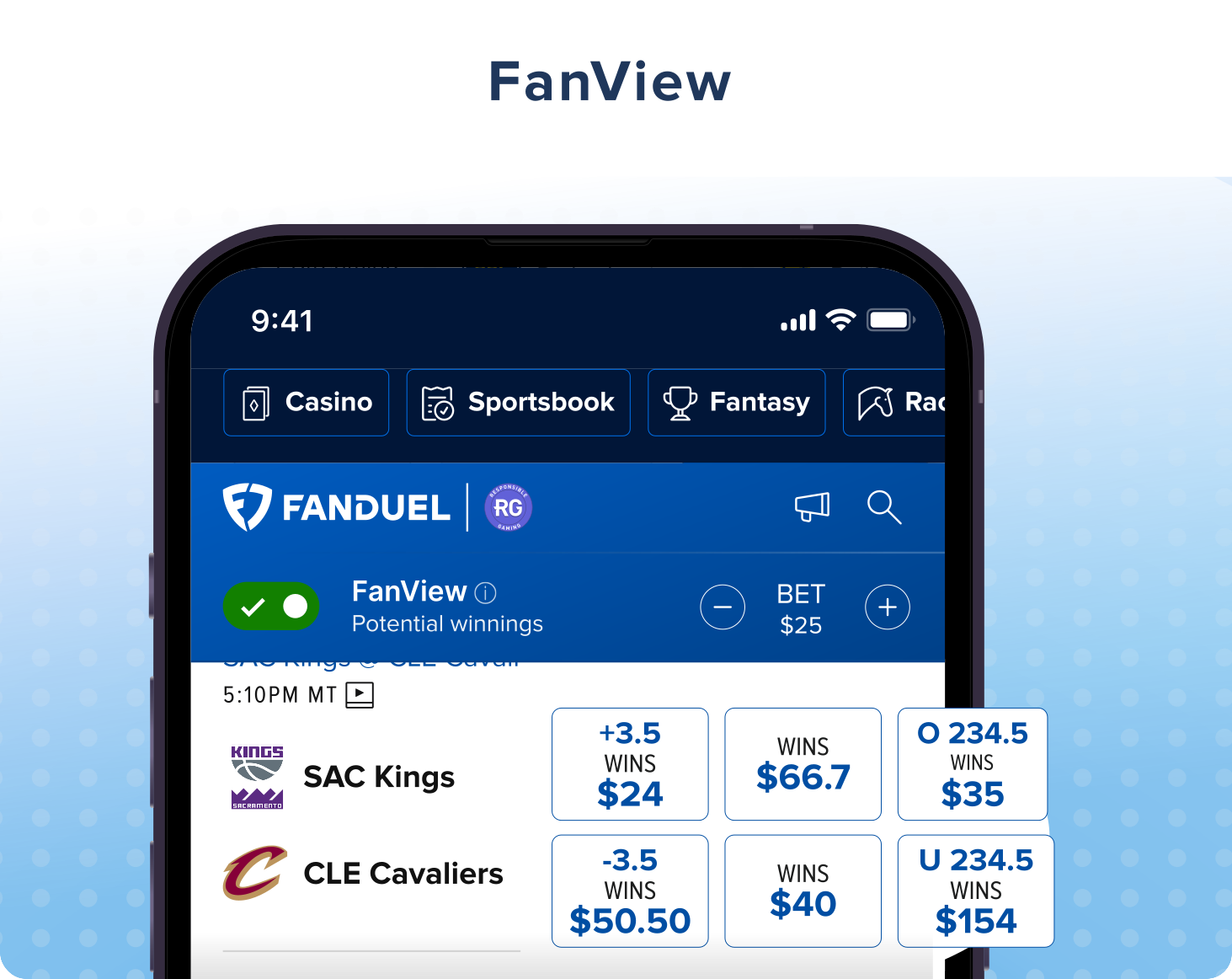
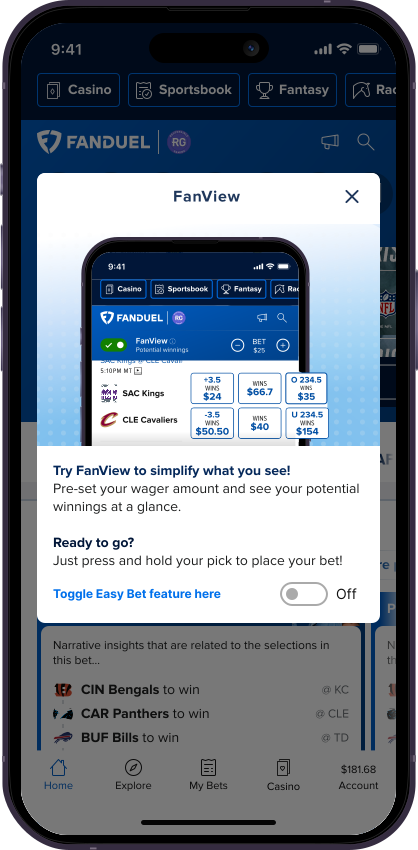
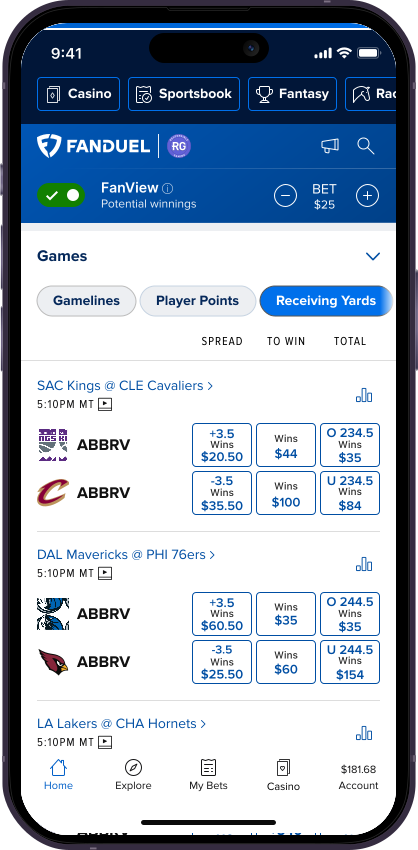
In FanView, instead of the odds, users will see their “to win” amount based on a pre-set wager of their choosing. They can also hold down on a selection to bypass the betslip and quickly place a bet.
UI Design
Once we had our idea it was time to design and develop — we only had a week. As the designer on the team I had to first ensure our ideas were presented in the most usable way possible, and second, identify any design benchmarks we may be missing from the original idea. Given the timeline, I leveraged components and findings from previous projects.
Informational Modal
Introducing FanView to new users.
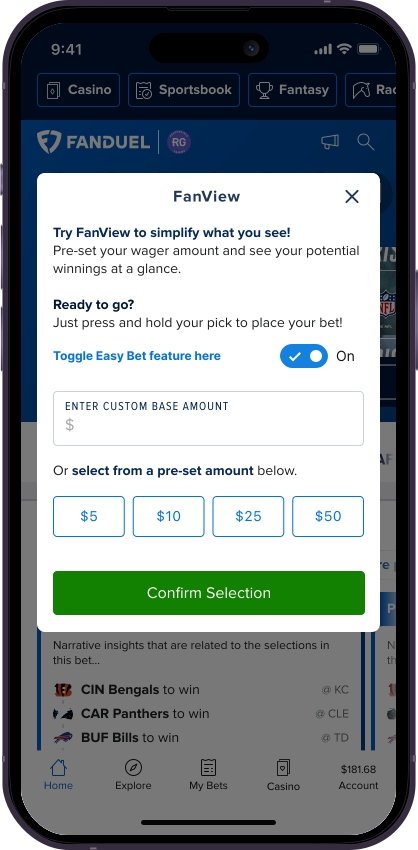
Setup Modal
Provide more technical information and get the user started with a preset wager amount.
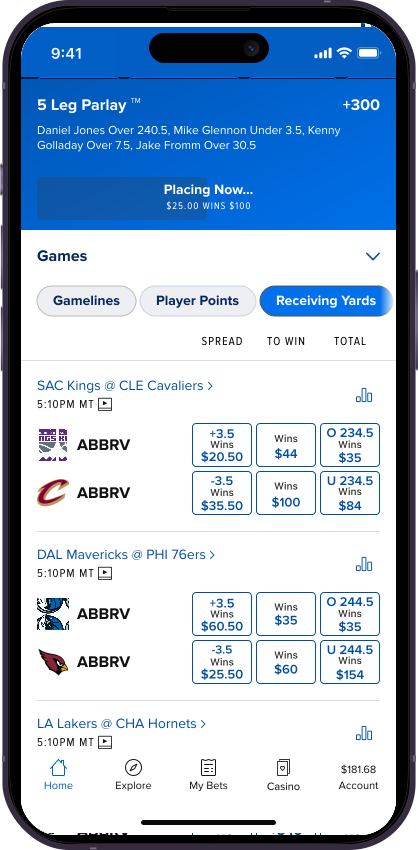
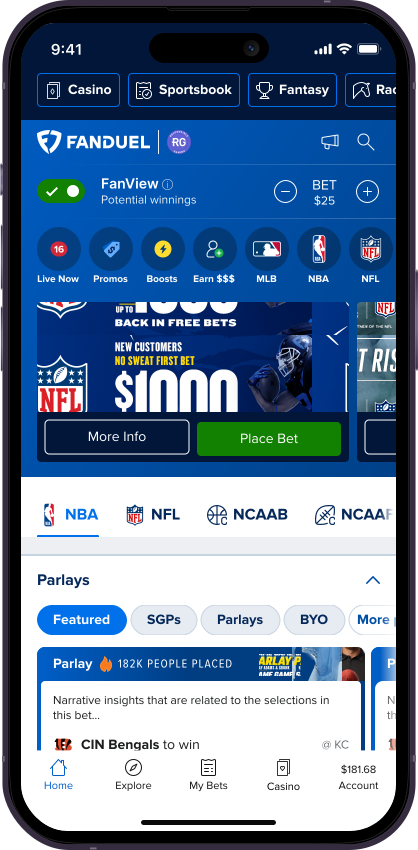
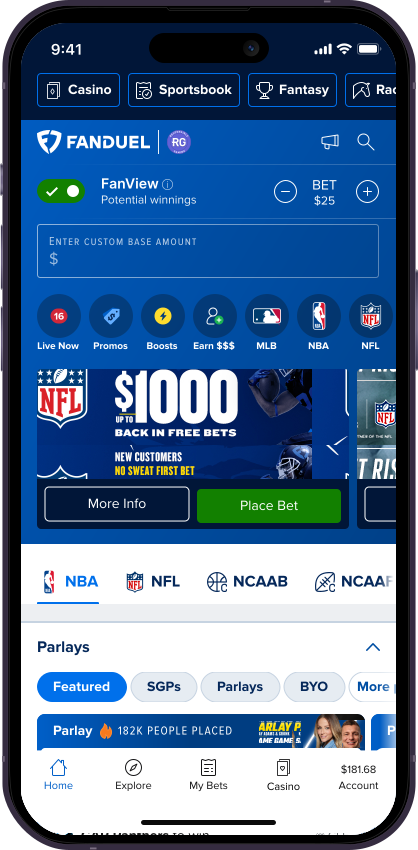
Onboarding
Show how the UI has changed and what is now possible with FanView toggled on.
FanView Component Placement
Easy, intuitive placement of the FanView toggle on the Home Screen.
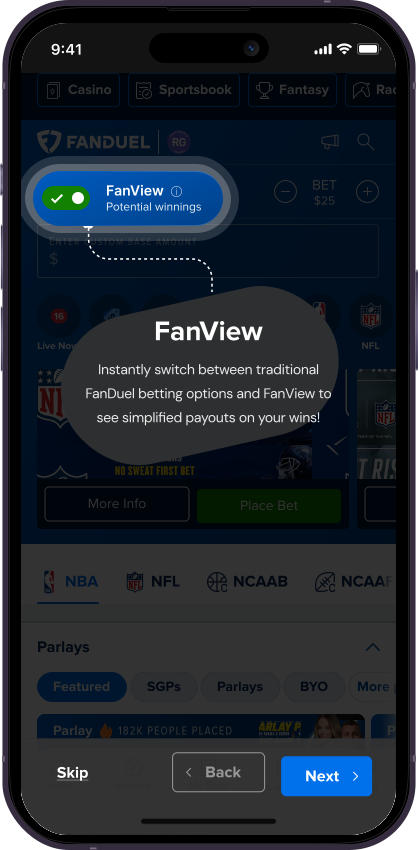
Long-press Functionality
Design for bypassing the betslip entirely with a long press.
New Odds Display Pattern
Replace American Odds with the user's preset payout amount for a win.
Onboarding
Screens
“Thank you for reading my case study!”
Want to work together? Feel free to reach out or connect on LinkedIn.